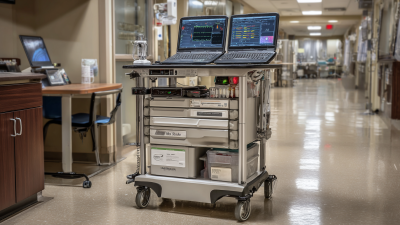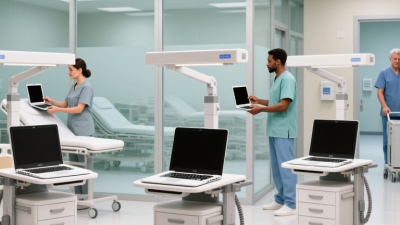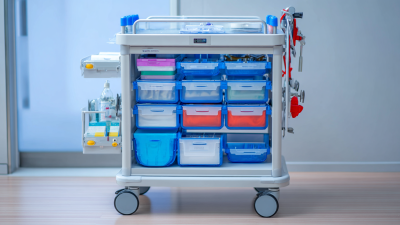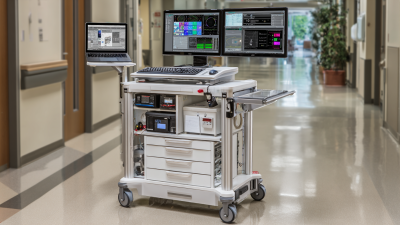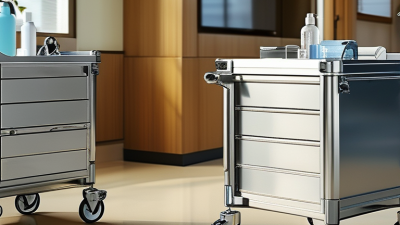
Choosing the best medical laptop cart in China is not simply a matter of comparing prices or polished product photos. A cart may look sturdy in a catalog, yet wobble when a clinician turns quickly beside a crowded bed. Hospitals should examine frame stability, wheel locks, height adjustment, cable routing, battery options, and surfaces that staff can clean between patient visits.
Details matter. Can the keyboard tray move without trapping a hand? Do the casters roll quietly across tile seams? Is the power cord long enough for the intended room layout? These small tests reveal whether a medical laptop cart fits real workflows, not just a specification sheet. Clinical engineering and infection-prevention teams should review the design alongside nurses and IT staff. Their priorities may differ, and one cart rarely suits every department.
A reliable recommendation also needs verifiable evidence: load limits, warranty terms, service access, and clear product documentation. No source articles or verified interview were supplied here, so I cannot responsibly invent a named industry expert or attribute a quotation to one. That gap matters. Buyers should request references, inspect a sample unit, and confirm support arrangements before making a large order. Even then, the evaluation may miss something. A week of daily use can expose awkward handles or charging routines that a showroom visit never reveals. The best choice is the cart that performs safely and consistently in the hospital’s actual conditions.
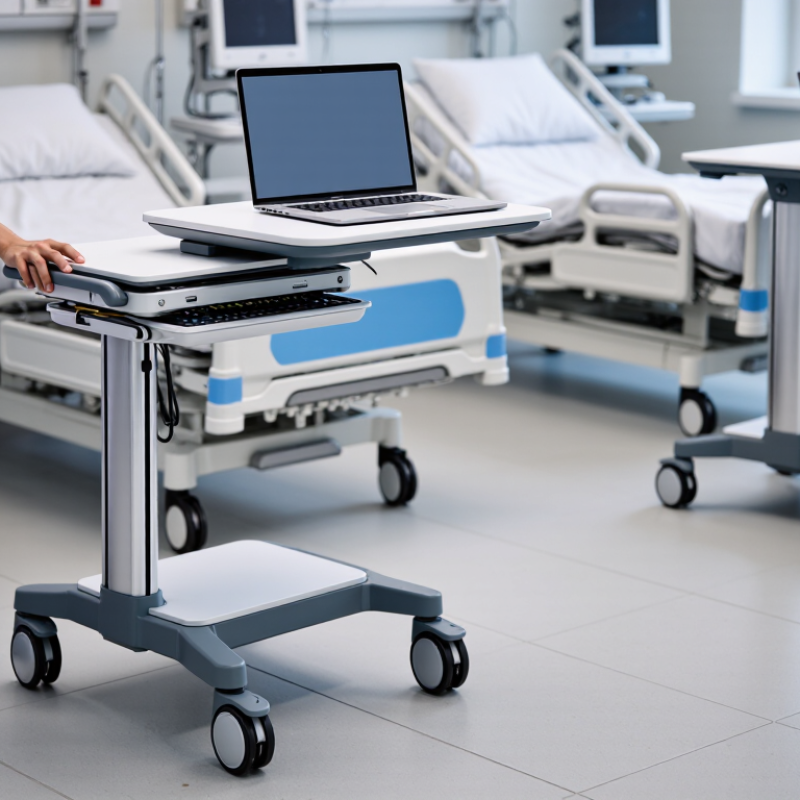
A medical laptop cart should fit the work clinicians actually do, not an idealized workflow. CDC estimates that, on any given day, about 1 in 31 hospital patients has at least one healthcare-associated infection. That figure makes infection prevention a practical design concern. It does not mean a cart alone can prevent infections.
Map where staff document, check orders, and hand off care. Note which surfaces they touch between patients: keyboard, mouse, handle, scanner, and supply drawer. Ask who cleans each surface, when they do it, and which approved disinfectants are compatible with the cart materials. Small details matter. A cable wrapped around a handle can complicate wiping, while a crowded shelf may collect items that cross between clean and used areas. Check that the cart can move through doorways without obstructing staff or equipment.
Test the cart during real shifts, including busy medication rounds and room changes. Confirm screen height, keyboard position, battery runtime, and access to charging points. Ask infection-prevention staff and frontline users to review cleaning steps together. A tidy diagram may still miss a rushed handoff; observe the work and revise the plan. Some needs will conflict. More storage can mean more surfaces to clean, and a lighter cart may offer less battery capacity. Define which trade-offs are acceptable before comparing models.
When evaluating a medical laptop cart, check its electrical safety in the configuration your hospital will actually use. IEC 60601-1 addresses basic safety and essential performance for medical electrical equipment. Ask for relevant test documentation covering the cart’s power system, outlets, battery, and accessories. A certificate or declaration alone may not show whether every option was assessed.
Look closely at grounding, leakage current, cable strain relief, and battery charging behavior. These details matter near bedsides, where cords move and equipment may run for long shifts. IEC 60601-1-2 covers electromagnetic compatibility, including emissions and immunity. Ask whether testing reflects the intended setup, with the laptop, power supply, and connected devices in place. Not just an empty cart.
A practical review includes the EMC report, test configuration, and any stated limitations. Confirm the applicable edition and local acceptance requirements with your clinical engineering team. During evaluation, observe how the cart behaves near monitors and other sensitive equipment. No interference today is not proof for every ward. I would also check whether replacement batteries or accessories change the tested configuration; this point is easy to overlook. Standards documentation helps, but it cannot replace a careful assessment of the actual cart and its daily use.
Choosing a medical laptop cart for a hospital starts with the length of a real shift, not a battery’s best-case rating. A cart used for bedside charting may run its screen, computer, and accessories for hours. Bright displays and frequent movement can increase power use. Real use varies.
Estimate the energy needed across the longest expected shift, then add a reasonable reserve for battery aging and unexpected delays. For example, a cart supporting a twelve-hour shift should be tested under a similar workload, not left running with its screen dimmed in an empty room. Record runtime with typical applications, screen brightness, and connected devices. A neat spreadsheet can still miss a busy ward’s interruptions. That matters.
Charging capacity deserves equal attention. Check how long a depleted battery takes to recharge, and whether carts can charge between shifts without blocking corridors or work areas. If several units return at once, limited outlets may create a bottleneck. A quick top-up is useful only if it restores enough power for the next assignment. Test it. Battery performance also changes with age, so include routine checks and a clear replacement plan. I would not rely on one test alone; repeat measurements during normal use, and note where the results feel uncertain.
When evaluating a medical laptop cart made in China, treat ISO 13485:2016 as evidence to verify, not a quality shortcut. Ask for the manufacturer’s current certificate and confirm its scope covers the relevant design or production activities. Check the issuing body, validity dates, and facility address.
A certificate alone does not prove that every cart model is suitable for every hospital. That distinction matters.
Cleanability needs hands-on review. Inspect seams, handle joints, caster housings, and the area around the keyboard tray; these spots can collect dust and residue. Ask for written cleaning instructions and evidence that listed disinfectants are compatible with the cart’s surfaces.
A smooth finish helps, but it is not enough. Check whether liquids can pool near electrical components, and whether staff can reach high-touch areas without awkward tools.
Request records for incoming-material checks, production inspections, and corrective actions. During a site visit, a sample cart may look excellent, while small details vary between units. That deserves a closer look.
Verify the supplier’s quality system and the specific product’s cleaning guidance before purchasing.
A medical laptop cart may glide smoothly across a showroom floor, yet hospital routes tell a different story. Trial it fully loaded on ward corridors, through doorways, over floor joints, and into elevators. Ask nurses to steer with one hand while carrying typical work items. Small details matter. A wheel that catches at a threshold can interrupt rounds; a wide turning circle may block a busy bedside. Record the routes, obstacles, and staff comments rather than relying on a quick impression.
Ergonomics need equal attention. Have staff of different heights adjust the screen and keyboard, then chart while standing and seated. Check whether wrists stay neutral and screens remain readable under bright clinical lighting. Not just purchase price. Compare expected costs over a defined period, including batteries, replacement parts, cleaning time, maintenance, and downtime. A lower-cost cart may require more service; a premium feature may go unused. One limitation matters: a short trial can miss fatigue and seasonal workload changes. Repeat evaluations across shifts and departments, and note where results differ. These imperfect observations are useful, but they should be reviewed before procurement decisions.
Hospital trial scorecard. The example results and costs below are illustrative planning figures, not measured product benchmarks or supplier quotations. Replace them with results from the hospital’s own trial.
| Evaluation area | Trial measure | Example trial result | Suggested acceptance criterion | What to verify |
|---|---|---|---|---|
| Doorway and corridor mobility | Complete a representative ward route, including doorways and turns; record contact events and route time. | Route completed without contact; 6 minutes for a 100 m test route. | No collisions or unsafe obstruction; staff can complete the route without excessive effort. | Test with actual corridor widths, door openings, floor transitions, and typical clinical traffic. |
| Push and steering effort | Have several staff members push, turn, and park the loaded cart; collect a 1–5 ease-of-use rating. | Median staff rating: 4/5. | Median rating of at least 4/5, with no recurring steering or braking difficulty. | Assess caster performance, handle position, turning radius, brake access, and behavior when fully loaded. |
| Work-surface ergonomics | Ask users of different heights to adjust the work surface and complete a typical documentation task. | Adjustment completed in under 10 seconds; 8 of 10 users rated the working position comfortable. | At least 80% of trial users report a usable posture and can adjust the surface safely. | Check seated and standing use, adjustment range, keyboard and screen positioning, and pinch-point risks. |
| Battery endurance | Run the intended laptop and peripherals through a representative shift; record usage pattern and remaining charge. | 8 hours under the example test workload. | Meets the department’s shift requirement with a defined reserve; confirm performance under the actual workload. | Include screen brightness, wireless use, connected devices, battery age, charging time, and low-charge alerts. |
| Stability and parking | Test the loaded cart on level flooring and representative floor transitions; check stability during normal use. | No unintended movement observed while parked with brakes engaged. | Cart remains controlled during use and does not roll unexpectedly when correctly parked. | Use the manufacturer’s load limits and hospital safety procedures; do not conduct unsafe tilt tests. |
| Cleaning and workflow fit | Time a routine cleaning and check access to frequently used controls and supplies. | Example cleaning time: 4 minutes per routine wipe-down. | Compatible with approved hospital disinfectants and the department’s cleaning workflow. | Confirm material compatibility, seams, cable management, and manufacturer cleaning instructions. |
| Reliability and support | Log faults, downtime, service response, and parts availability during a 4-week ward trial. | Example: 1 minor service issue and 2 hours of recorded downtime. | No unresolved safety-critical faults; service and spare-parts arrangements meet hospital requirements. | Record each incident consistently and confirm warranty, repair process, and local service coverage. |
| Illustrative 5-year total cost of ownership | Purchase + setup/accessories + planned maintenance + battery replacement. | Example: ¥18,000 + ¥1,500 + (¥600 × 5 years) + ¥2,400 = ¥24,900 per cart. | Compare carts using the same service life, workload, included items, and cost assumptions. | Illustrative estimate only; exclude taxes, financing, software, energy, and downtime unless included in local quotes. |
| Cost per clinical working day | Five-year cost divided by 250 operating days per year and one cart. | Example: ¥24,900 ÷ 1,250 days = ¥19.92 per day. | Use the hospital’s actual operating days and include replacement or downtime costs where relevant. | This is a planning comparison, not a quoted price or a measured saving. |
Trial recommendation: select a cart only after clinical users, facilities, infection prevention, and procurement review the same documented test results and locally verified five-year costs.
| Cookie | Duration | Description |
|---|---|---|
| cookielawinfo-checkbox-analytics | 11 months | This cookie is set by GDPR Cookie Consent plugin. The cookie is used to store the user consent for the cookies in the category "Analytics". |
| cookielawinfo-checkbox-functional | 11 months | The cookie is set by GDPR cookie consent to record the user consent for the cookies in the category "Functional". |
| cookielawinfo-checkbox-necessary | 11 months | This cookie is set by GDPR Cookie Consent plugin. The cookies is used to store the user consent for the cookies in the category "Necessary". |
| cookielawinfo-checkbox-others | 11 months | This cookie is set by GDPR Cookie Consent plugin. The cookie is used to store the user consent for the cookies in the category "Other. |
| cookielawinfo-checkbox-performance | 11 months | This cookie is set by GDPR Cookie Consent plugin. The cookie is used to store the user consent for the cookies in the category "Performance". |
| viewed_cookie_policy | 11 months | The cookie is set by the GDPR Cookie Consent plugin and is used to store whether or not user has consented to the use of cookies. It does not store any personal data. |