
2026 Top Medical Laptop Carts for Hospitals?
A hospital laptop cart is no longer just a place to park a computer. It can shape how quickly clinicians review records, document care, and move between bedside tasks. The Office of the National Coordinator for Health Information Technology reported that 96% of U.S. non-federal acute care hospitals had adopted certified electronic health record technology by 2021. That figure helps explain why mobile workstations matter, but it does not prove that every cart improves care. Design still counts.
Don Berwick, physician and healthcare quality expert, is widely associated with the principle, “Every system is perfectly designed to get the results it gets.” For a medical laptop cart, that means looking beyond the spec sheet. Can a nurse adjust the screen while standing beside a bed? Do the casters roll smoothly across thresholds? Does the battery last through a shift, and can staff clean the surfaces easily? Small details become very visible during a busy night.
This 2026 guide compares leading medical laptop carts for hospitals by mobility, ergonomics, power options, durability, and practical value. It also considers the less glamorous trade-offs: weight, maintenance, and storage can matter as much as headline features. Not every cart fits every ward. The best choice depends on the workflow, the room layout, and the people using it—details a product ranking can never fully capture.
What Medical Laptop Carts Do in Today’s Hospitals
2026 Top Medical Laptop Carts for Hospitals?
What Medical Laptop Carts Do in Today’s Hospitals
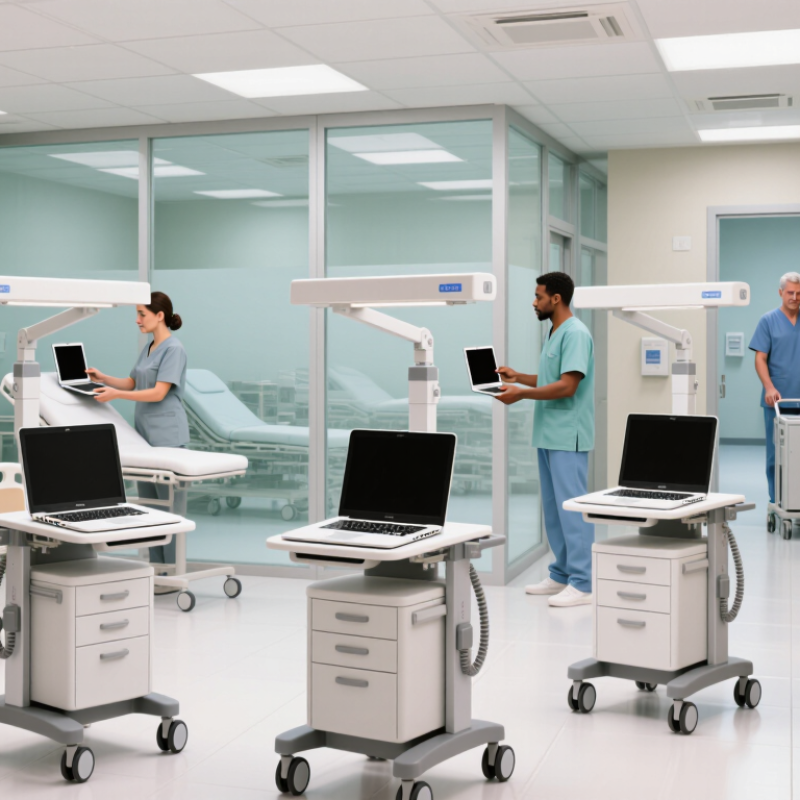
At the bedside, a medical laptop cart brings the electronic health record to the patient. Nurses can review allergies, document observations, enter orders, and scan identification without returning to a fixed workstation. The cart may also hold a screen, keyboard, scanner, and power supply. Small details matter: quiet casters, an adjustable display, and tidy cable routing can make busy corridors easier to navigate.
The workflow need is real. In a 2016 time-and-motion study of 57 ambulatory physicians, Sinsky and colleagues found that 49.2% of observed work time went to electronic health records and desk work (Annals of Internal Medicine, 2016). A mobile workstation can bring some documentation closer to care. It cannot remove clicks or fix poor software. Not magic. Hospitals should assess battery life across a full shift, cleanable surfaces, stability, and fit for different users. A cart that is difficult to disinfect or awkward to steer may slow staff down. This is easy to overlook. Selection should follow observation of actual care routines, not a catalog checklist alone. Even a well-designed cart can become cluttered as accessories accumulate, so teams need a clear plan for storage, charging, and maintenance.
| Cart Type | Typical Hospital Use | What It Does | Mobility and Power | Key Selection Considerations |
|---|---|---|---|---|
| Mobile laptop cart | Bedside rounds, patient-room documentation, and shared clinical areas | Provides a movable work surface for a laptop and supports access to electronic health records near the point of care. | Usually has casters; power may come from a nearby outlet or an optional battery system. | Check overall footprint, caster maneuverability, adjustable work height, cable management, and compatibility with the laptop and accessories. |
| Powered mobile workstation | Units where staff need to move between rooms or work away from wall outlets | Combines a mobile work surface with an onboard power system for compatible computing equipment and, where supported, peripherals. | Typically includes a rechargeable battery; available runtime depends on battery capacity, connected devices, and usage. | Confirm the cart’s electrical ratings, charging method, battery status indicators, service plan, and expected runtime under the intended workload. |
| Compact laptop cart | Crowded patient rooms, narrow corridors, and departments needing a smaller mobile setup | Offers a reduced-size platform for a laptop and essential accessories where a larger workstation may be difficult to maneuver. | Often manually powered and outlet-dependent, though configurations vary. | Assess stability, usable work-surface area, wheel clearance, safe load capacity, and whether the compact design accommodates required peripherals. |
| Height-adjustable laptop cart | Shared work areas used by staff of different heights or for seated and standing tasks | Allows the work surface to be set at different heights to support a more adaptable working posture. | May use manual adjustment or a powered lift; mobility and power features depend on the configuration. | Review adjustment range, ease of operation, stability at different heights, and the reach and posture requirements of intended users. |
| Laptop cart with accessory storage | Clinical workflows requiring commonly used items to travel with the computer | Adds storage or mounting options for approved accessories, helping staff keep the workstation organized during rounds. | May be manually powered or battery-powered; added accessories can affect total weight and maneuverability. | Check storage layout, cleanability, secure mounting, total loaded weight, and whether accessories can be positioned without obstructing movement. |
| Fixed or wall-mounted laptop workstation | Treatment rooms, charting stations, or locations with a consistent work position | Provides a stationary laptop work area, helping keep equipment off a mobile cart when movement between locations is not required. | Not intended for routine transport; power and mounting arrangements are site-specific. | Confirm installation requirements, available space, user reach, cable routing, and facility approval before mounting. |
| Selection note: Cart features, load limits, battery performance, and cleaning compatibility vary by model. Confirm specifications with the supplier and follow the hospital’s infection-prevention, electrical-safety, and equipment-use policies. | ||||
Related Posts
-
Exceptional Manufacturing from China's Leading Factory for Best Mobile Medical Carts
-
How to Choose the Right Medical Laptop Cart for Enhanced Workflow Efficiency in Healthcare Facilities
-
Transforming Healthcare Delivery: The Rise of Medical Laptop Carts in Patient Care
-

How to Choose the Best Medical Cart on Wheels for Healthcare?
-

Best Med Carts for Sale Options for Your Healthcare Facility?
-
How to Properly Stock a Medical Crash Cart for Emergency Situations